Faster Driven Results

AI for Workflows

AI can do more

AI Workflow Automation for Business Operations

When it is planned correctly, AI can do more than help people write faster or answer questions. AI can improve the way your business actually works.

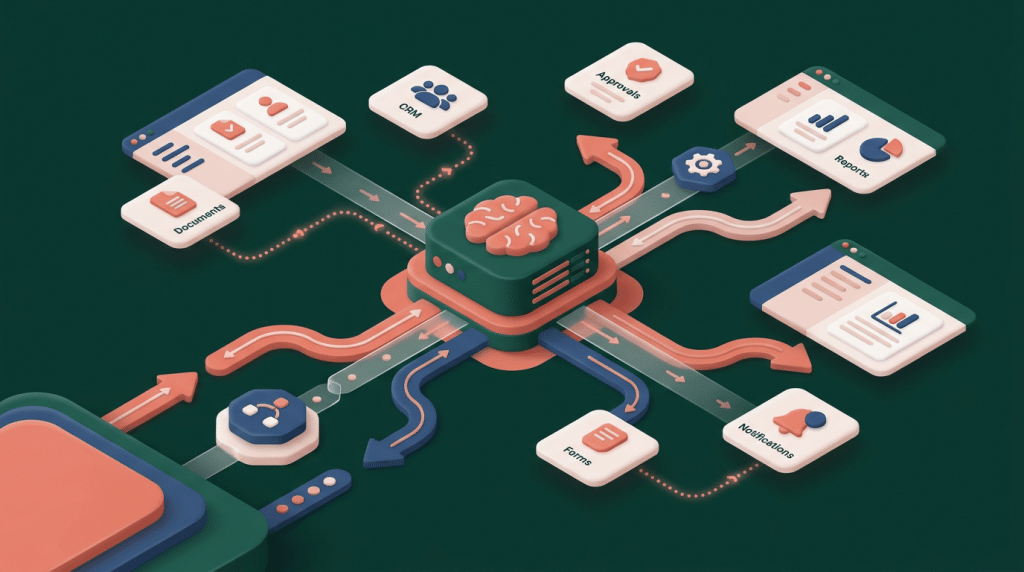
eLink Design helps companies use AI to reduce manual effort, improve internal processes, support quality control, and connect everyday work across websites, apps, databases, CRMs, documents, dashboards, and business systems. Our AI workflow automation services are built for organizations that want practical improvements, not disconnected experiments.

Many of the best AI opportunities happen behind the scenes. They may not be visible to customers, but they can have a major impact on your team’s speed, consistency, and ability to scale.

If your team is copying information between systems, manually reviewing documents, summarizing reports, routing leads, answering the same internal questions, or repeating production tasks, AI may be able to help.
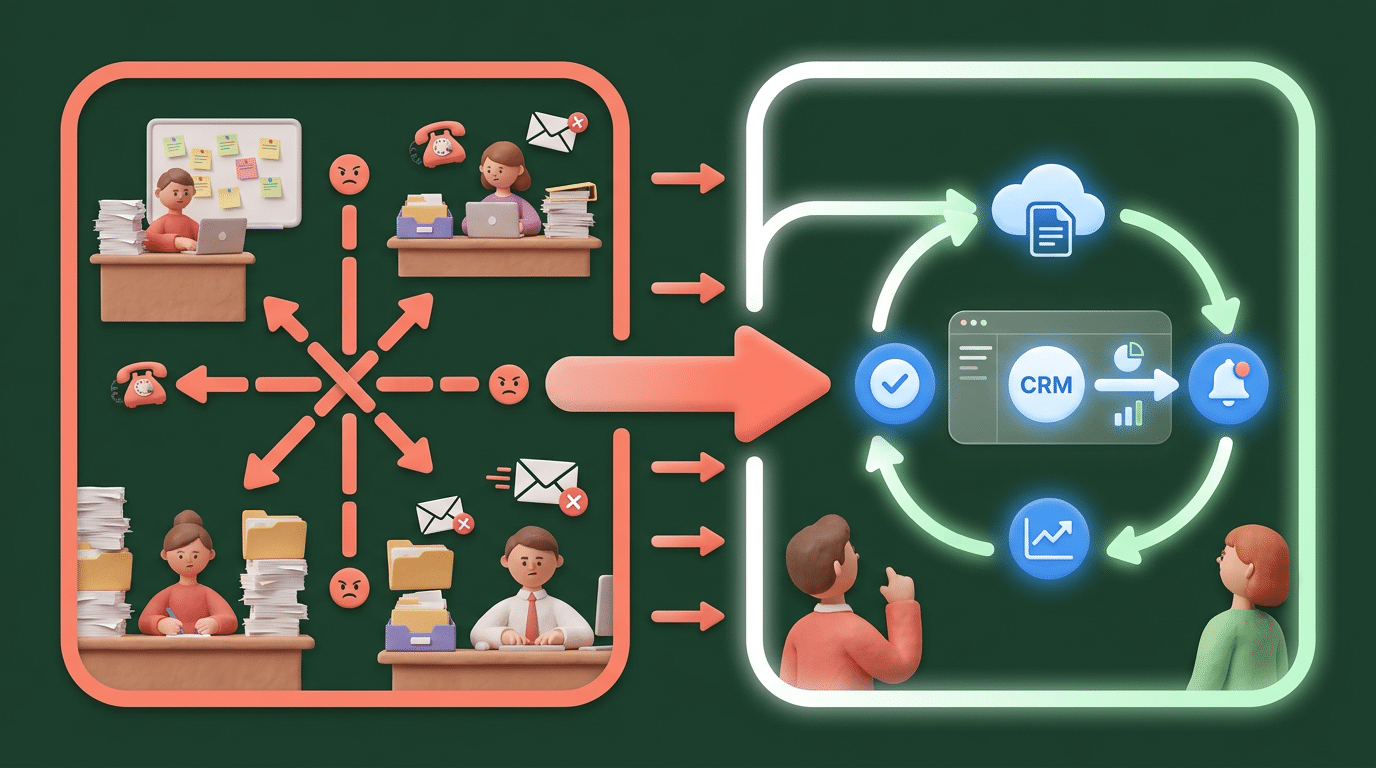
Turn Repetitive Work into Smarter Systems

Most businesses do not need AI for the sake of AI. They need better workflows.

That may mean faster quote turnaround, cleaner reporting, more consistent customer follow-up, better internal communication, fewer manual data-entry steps, or stronger quality assurance. The goal is not to replace your team. The goal is to give your team better tools, reduce unnecessary friction, and make important work easier to complete correctly.

Our AI Services are organized around three practical areas: AI for Teams, AI for Workflows, and AI for Products. AI for Workflows focuses on the internal systems and processes that keep your organization moving.

This is where AI becomes part of your operations.

What AI Workflow Automation Can Include

AI

Internal AI Copilots

An internal AI copilot can help employees find information, summarize policies, search documentation, draft responses, review project details, or answer operational questions based on approved company knowledge. Instead of asking your team to dig through folders, emails, spreadsheets, and old documents, an internal copilot can make information easier to access while still keeping humans in control.

Document Processing and Review

AI can help extract, organize, summarize, and route information from documents such as PDFs, forms, contracts, applications, reports, invoices, support tickets, or intake submissions. For many businesses, document-heavy workflows slow everything down. eLink Design can help create AI-assisted systems that identify key information, flag missing details, support review steps, and move work to the right person faster.

CRM, Sales, and Lead Workflow Automation

Speed matters when a new lead, inquiry, or customer request comes in. AI can help classify submissions, summarize customer needs, suggest next steps, draft follow-up language, and route opportunities to the right team member. These workflows can connect to your website, CRM, email, forms, dashboards, or custom software. If your current lead process depends on manual review and delayed follow-up, AI may help your team respond faster and more consistently.

Reporting and Business Intelligence Support

Many companies have data but struggle to turn it into useful insight. AI can help summarize reports, identify trends, explain dashboard changes, flag anomalies, and produce plain-language updates for leadership teams. eLink Design can help connect AI-assisted reporting to your existing databases, dashboards, or web-based applications so your team spends less time compiling information and more time acting on it.

Quality Assurance and Production Support

AI can support internal review processes by checking content, comparing records, identifying inconsistencies, reviewing submissions, or helping teams maintain standards across repeated work. For production-oriented teams, this can improve consistency while reducing the burden of repetitive review. Human judgment still matters, but AI can help surface issues earlier and make review processes more efficient.

Built Around Your Existing Systems

AI workflow automation works best when it is connected to the tools your business already uses. That may include your website, CMS, CRM, app, database, support platform, project management system, reporting dashboard, or internal portal.

eLink Design brings an advantage to this work because we already design, build, modernize, and support the systems AI needs to connect with. Our team builds websites, mobile apps, custom web applications, portals, dashboards, and software systems. We understand that AI is only useful when the surrounding workflow makes sense.

That is why we look at the full process: where work starts, where information lives, who needs to review it, what systems need to communicate, what should be automated, and where a human should stay involved.

Workflow AI Should Be Secure, Measurable, and Maintainable

A good AI workflow is not just a prompt. It is a system.

That system may need permissions, data rules, approvals, logging, integrations, testing, monitoring, and human review. It should also have clear success metrics.

Are you trying to reduce response time?

Improve reporting speed? Lower error rates?

Increase completed follow-ups?

Reduce manual administrative work?

eLink Design helps businesses move from scattered AI experiments to practical, repeatable workflows. We can help you identify the right process, design the solution, connect the systems, test the output, train the users, and improve the workflow over time.

If your team also needs help understanding how to use AI responsibly, our AI Training & Enablement services can support adoption before, during, or after workflow implementation.

Ready to find the AI opportunities inside your operations?

Start with One High-Value Workflow

You do not need to automate everything at once. In many cases, the best first step is choosing one workflow where speed, quality, or consistency matters.

That might be a customer intake process, sales follow-up process, reporting workflow, document review process, internal knowledge search tool, or production review step. Once one workflow proves useful, your organization can decide where to expand next.

Tell us where your team is spending too much time, where work gets stuck, and what systems need to work better together.

Talk to a senior strategist

Tell us what you’re building—and where you want AI to help.

We’ll respond within 1 business day with next steps (and the right questions).

Call Us

Questions about our services or pricing? Call for more info.

Email Us

Our support staff will reach out to you within 24 hours.

Fill out this form for a free consultation.
We'll be in touch within 24 hours.